Fencing
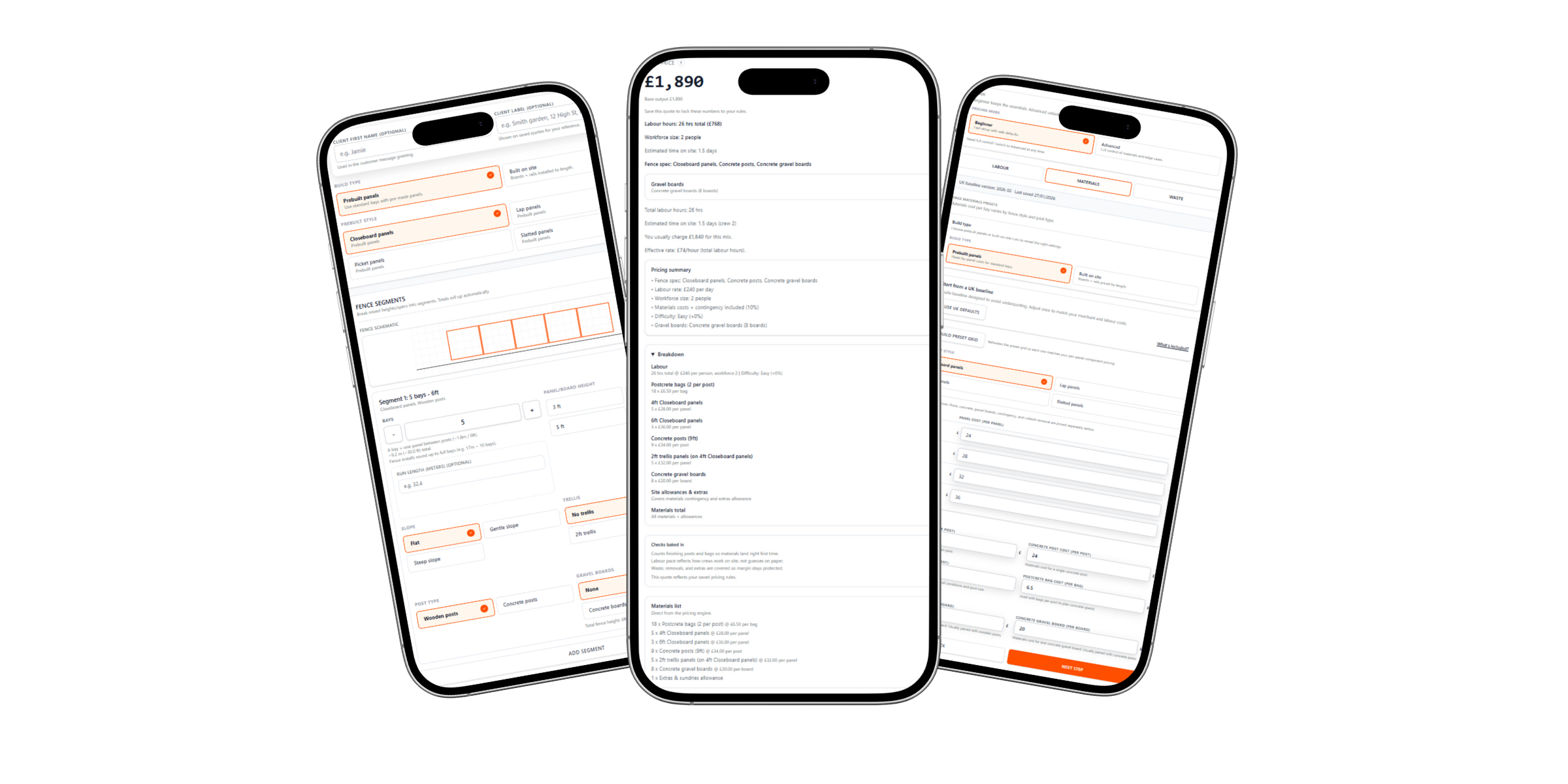
QuoteMate helps fencing contractors turn measured runs, gates, removals, access notes, materials and customer notes into a clear quote that is easier to check and send.
Built for fencing contractors
Fencing quotes have moving parts: runs, heights, posts, gates, removals, access and optional extras. QuoteMate gives you a clearer way to capture the job and send a quote that feels organised.
Measured run details
Keep lengths, heights, gates and layout notes together before you send the price.
Gates and extras covered
Capture gates, removals, access notes and extras so they do not get lost in the quote.
A quote customers can act on
Show the scope, price and next step clearly instead of sending a rough total.
Built for repeat fence work
Use a consistent quoting flow for panels, closeboard, gates and common fencing enquiries.
Why it helps
QuoteMate keeps the sales process simple for fencing contractors. You can capture the job clearly, review the scope quickly and send a quote that gives the customer confidence.
- Capture measured runs, gate positions, removals, access and customer details in one place.
- Keep the customer quote clear without exposing every internal material decision.
- Make repeat fence enquiries quicker to handle because the quote follows the same structure.
- Send a clear price while the customer is still comparing contractors.
How it works
Add the fence run
Enter the customer, fence type, measured runs, gates, access and the job details that affect the quote.
Check the scope before sending
Review the run, gates, removals, extras and price before sending the quote to the customer.
Send and follow up
Share a clean quote with the customer and keep the job organised inside QuoteMate.
Questions
Is this just a generic quote template?
No. The fencing flow is built around runs, heights, gates, removals, access and job notes, so it feels closer to how fencing jobs are actually quoted.
Can it handle gates and extras?
Yes. Gates, removals, access notes and extras can be captured before you send the quote, so the customer sees a clearer scope.
Will it help me win more work?
It helps you respond faster with a quote that feels organised. That can make a difference when a customer is comparing two similar prices.
Where do I start?
Open QuoteMate, choose fencing, build a quote and send it when you are happy with the details.
Quote checklist
Most customers are not looking for a parts list. They want to know what fence work is included, what extras are covered, how access or removals are handled and what they need to do next.
QuoteMate helps you present that clearly. Runs, gates, removals, access notes, customer details and optional extras stay with the quote, so the finished page feels organised without explaining your internal pricing method.
That matters when a customer is comparing fencing contractors. A clear quote can make your business look organised before the job starts, and it gives you a cleaner follow-up when the customer is ready to move forward.
For general UK business guidance, you can also check GOV.UK business support.
Start building clearer, faster fencing quotes with QuoteMate and give customers a better reason to choose you.